
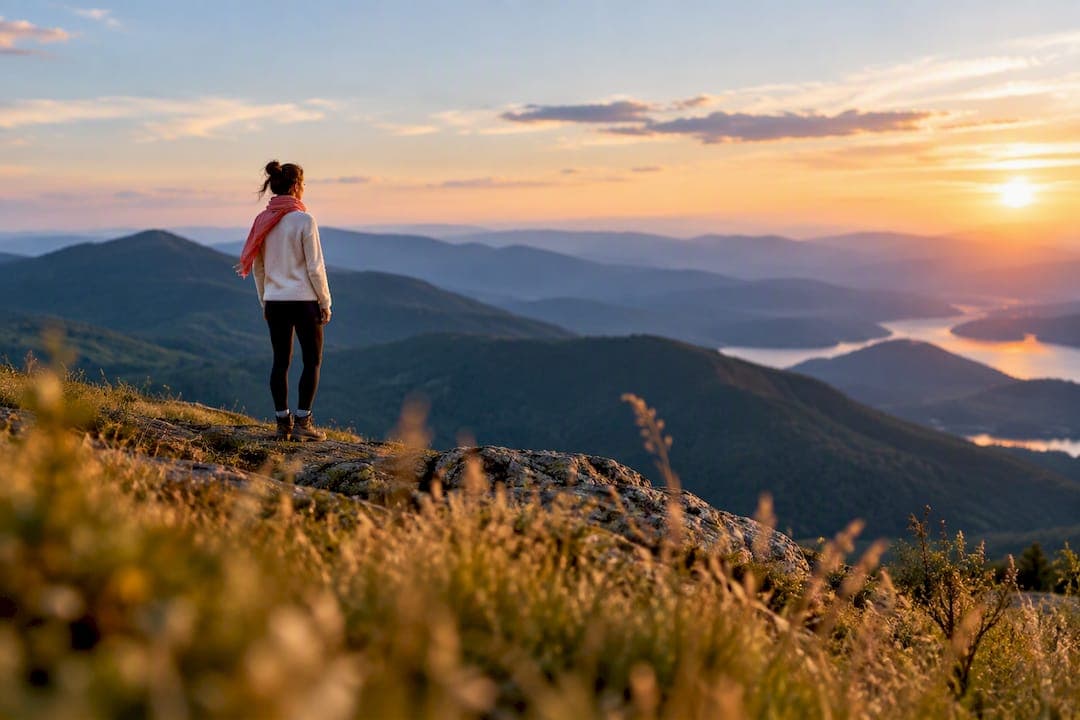
Keep far-away photos as supporting images only, never as your main photo. Distant shots hide your face, and your face is what earns the swipe. The fix isn't deleting every travel or full-body photo, though. It's putting them in the right slot, framed the right way, so they add proof of your life without costing you the first impression. The next sections show you exactly how.
TL;DR:
- Distant or wide travel photos often fail to prompt initial matches because they obscure facial cues and require extra mental effort to identify you.
- The optimal profile includes a close-up headshot as the primary photo, complemented by a full-body shot and a few recognisable activity or travel images.
- Proper framing involves cropping distant shots to ensure your face occupies enough of the frame and using composition rules like off-centering and good lighting.
- AI photo analysis tools can objectively rank your images for lighting, expression, and composition, helping you optimize your lineup before posting.
- Balancing close-ups with a limited number of well-framed distant shots boosts recognition, trust, and engagement, improving your overall match rate.
Table of Contents
- Why far away photos on dating apps struggle to win matches
- What photos your profile needs, and where distant shots belong
- How to frame a distant photo so it still works
- Lighting, expression and wardrobe fixes for distant shots
- AI travel photos: useful supplement or credibility risk?
- How to test whether your photo lineup actually works
- Final checklist before you upload or refresh your profile
- Do distant photos make you seem more or less approachable?
- Balancing distant shots with close-ups for a stronger profile
- Do dating apps' algorithms treat distant photos differently?
- Using captions to make a distant photo work harder
- Real-world perspective: what actually separates good lineups from weak ones
- Get an objective read on your photo lineup before you post
- Sources
- FAQ
Why far away photos on dating apps struggle to win matches
Swipe decisions happen in under a second, and most of that decision rests on one photo. Industry analysis puts the figure at 70 to 87% of swipe decisions made on the first photograph alone, with the primary image driving over 70% of that initial call. That's not a lot of time for someone to squint at a tiny figure on a beach and decide you're worth a message.
Distant photos ask the brain to do extra work it doesn't want to do. When your face isn't clearly visible, viewers can't extract the cues they rely on: eye contact, expression, bone structure, that fleeting sense of "do I find this person attractive." A small, obscured subject forces the viewer to hunt for you in the frame, and most people don't bother. They swipe on to the next profile where the answer is obvious.
There's also an emotional read that distant photos accidentally trigger. A wide shot of you on a mountain ridge can say "adventurous," but it can just as easily say "distant," "hard to reach," or "hiding something." Context matters here. A grinning face mid-hike two metres from the lens reads as adventurous and approachable. The same hike shot from 30 metres away, where you're a coloured dot against scenery, reads as evasive, even if that was never the intent.
This is why the primary photo carries so much weight, and why the guidance from photographers is consistent: a single, recent, face-forward headshot should always be the primary photo, with everything else built around it. A few specific issues come up again and again with far-away shots:
- Facial recognition fails at thumbnail size. Apps compress images for the grid view, and detail that's already thin gets thinner.
- Viewers assume the worst. If your face isn't clear, some assume you're hiding a flaw rather than simply having a nice landscape shot.
- Speed kills nuance. Nobody zooms in on a stranger's photo during a swipe session. If the information isn't instant, it's lost.
- Attention drifts to the scenery. A stunning view competes with you for the eye, and often wins.
None of this means distant photos are worthless. It means they belong later in your lineup, doing a different job than your primary shot. Understanding that division of labour is the first real fix.
What photos your profile needs, and where distant shots belong
A profile with four to six varied, high-quality photos gets roughly 38% more matches than one running on just one to three images. That extra room is exactly where a good distant photo earns its place, provided it is not doing the job your primary photo should be doing.
Here's a practical order that photographers and profile analysts tend to agree on:
- Primary headshot. Close, well lit, face clearly visible, genuine smile. This is not negotiable and never the slot for a wide shot.
- Full-body photo. Shows your build and how you carry yourself. Profiles missing this see 45% fewer matches in one industry analysis, so don't skip it even if you're self-conscious about it.
- Activity or travel shot. This is the natural home for a wider, more distant frame, provided you're still recognisable as the main subject.
- Social proof photo. One, maybe two group shots at most, and you need to be the person people notice first, not the third face from the left.
- Personality or hobby shot. Something that shows what you actually do with your time, cooking, climbing, playing an instrument.
- A second close-up. Different setting, different expression, reinforcing that the person in photo one is consistent and real.
The activity slot is where most people get it wrong in two directions. Some go too safe, cropping every outdoor photo so tight there's no context at all, which wastes the opportunity to show a life being lived. Others go too wide, turning what should be a "look at this adventure" photo into a spot-the-human exercise. The failure mode is well documented: travel photos that are too scenic, where you're a small part of the frame, fail because viewers can't easily identify the subject. The fix isn't cropping out the scenery, it's choosing shots where you're close enough to be unmistakably you, with the landscape as a backdrop rather than the main event.
Group photos deserve a separate word of caution. They're useful as social proof, showing you have friends and a social life, but the advice is to limit them to one or two and make absolutely sure you're the easiest person to spot. A distant group shot where a match has to guess which blurry figure is you does more harm than good, and it's a common reason otherwise decent lineups underperform.
If you're building a gallery from scratch, a good rule of thumb is: every photo should pass a two-second test. Could a stranger identify your face and read your expression in the time it takes to glance and decide? If a photo fails that test, it either needs recropping or it needs to move further down the running order, never into the top two slots.
How to frame a distant photo so it still works
The single biggest fix for a struggling travel or full-body shot is subject scale, meaning how much of the frame you actually occupy. Photographers who work specifically on dating profiles tend to recommend the subject occupies a minimum useful scale in the frame; go smaller than that and you create what's often called cognitive friction. Viewers have to work to find you, and most people just swipe left rather than do that work.
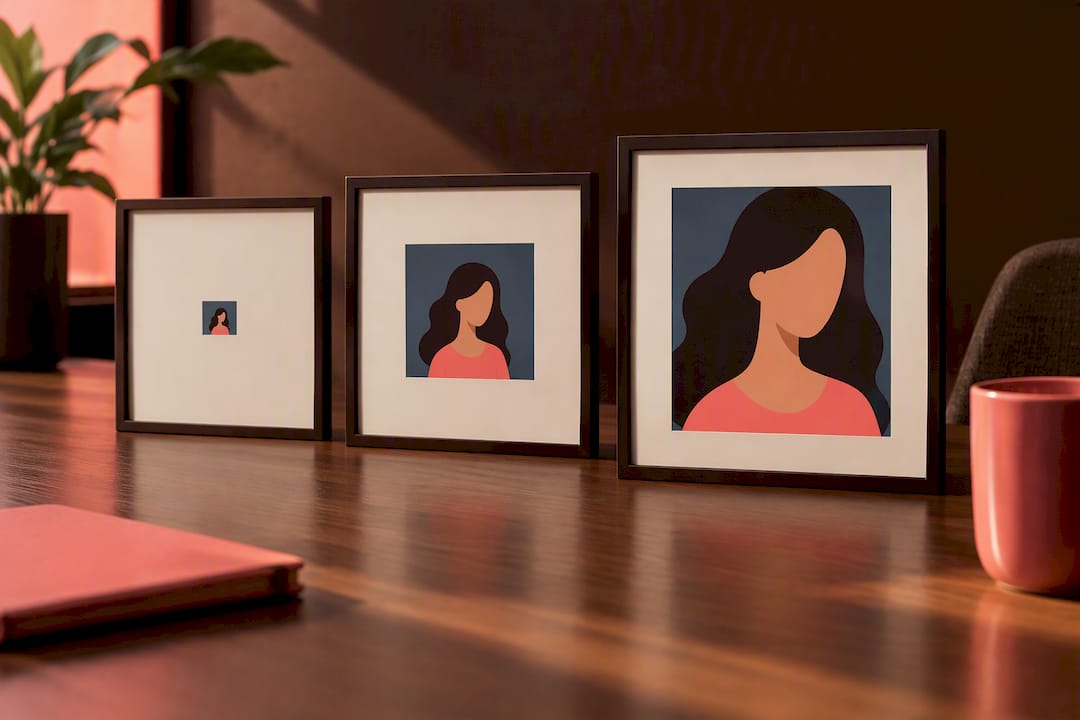
A simple way to check this on your phone: hold it at arm's length and glance at the photo for two seconds. If you can't immediately pick yourself out without hunting, the shot needs cropping in, moving closer, or cutting from the lineup entirely.
Composition rules that make a real difference:
- Position yourself off-centre. The rule of thirds isn't just an aesthetic habit, it actively helps viewers separate you from the background rather than blending in as one more shape in the middle of the frame.
- Face the light, not just the camera. A distant shot loses detail fast if your face is in shadow, so orient towards the light source before you worry about the pose.
- Keep the background simple behind you specifically. A cluttered market street works fine as a setting, but not directly behind your head, where it competes with your face for attention.
- Crop before you post, not after uploading. Most apps will crop for you if you don't, and it's rarely flattering. Do it yourself in your phone's photo editor first.
- Zoom with your feet, not the lens. If a photo feels too wide once you look at it on a small screen, the real fix is usually retaking it two or three metres closer, not digital zoom, which loses sharpness.
Pro Tip: Take the same travel or outdoor photo at three distances, close, medium, and wide, in the same session. You'll almost always find the medium distance works best: enough context to show the location, close enough that your face and expression still read clearly on a phone screen.
If retaking isn't an option because the trip already happened, cropping is your next best move. Open the photo, crop tightly enough that your head and shoulders take up a clear, identifiable portion of the frame, and check it still looks natural rather than awkwardly zoomed. If cropping in makes the image blurry or pixelated, the original resolution simply wasn't high enough to survive the crop, and that photo probably needs to be retired rather than rescued.
One more practical point: focal clarity matters more than most people realise. A phone camera focusing on the background instead of you will blur your face slightly even at moderate distance, and that blur is invisible on a full screen but obvious once the photo shrinks to a dating app thumbnail. Tap to focus on your own face before shooting, every time.
Lighting, expression and wardrobe fixes for distant shots
Good lighting does more heavy lifting on a distant photo than on a close-up, because there's less detail overall to work with, so every bit of clarity counts. Soft, even outdoor light, the kind you get an hour after sunrise or before sunset, is the most forgiving. Harsh midday sun creates shadows across your face that get worse, not better, once the image is compressed for a thumbnail.
Expression is trickier to read at distance, so it needs to be exaggerated slightly compared to a close-up. A subtle, closed-mouth smile that looks great up close can vanish entirely at scale. An open smile with visible eye contact toward the camera reads far more reliably from further away.
Wardrobe choices matter more than people expect too. At thumbnail scale, contrast between subject and background matters more than complex composition; simple, solid colours help you stand out where patterns and camouflage-toned clothing blend you into the scenery. A few practical notes worth keeping in mind:
- Wear one strong, solid colour rather than busy patterns, especially against green, sandy, or urban backdrops where mid-tones disappear.
- Avoid matching your clothing to the landscape. A khaki jacket against a khaki desert is a recipe for invisibility.
- Skip sunglasses in any photo meant to establish who you are. They remove the single most important cue, your eyes, and they're a common reason distant photos read as guarded.
- Leave heavy props at home. Sports equipment, animals, or large bags can be fine in a personality photo but they compete for attention in an already busy distant frame.
- Check your silhouette against the background before you shoot. If you'd disappear in a quick glance, move to a spot with better separation.
None of this requires professional gear. It requires paying attention to five or ten seconds of setup before you take the shot, which is a lot cheaper than discovering three months later that your best travel photo has been quietly killing your match rate.
AI travel photos: useful supplement or credibility risk?
AI-generated travel photos have become a genuine option for people who don't have many real distant or adventure shots to draw from, and used carefully they can fill a real gap in a lineup. Used carelessly, they can undo months of otherwise good profile work.
The practical guidance from people who study this closely is consistent: keep AI-generated images to roughly 30 to 40% of your gallery at most, never the majority, and never the primary photo. AI travel photos work as a practical supplement for people who lack real travel shots, but they need to sit alongside recent, unmistakably real images, not replace them.
Fewer than half of daters want a heavily edited gallery. A 2025 survey found 73% of online daters would like touched-up pictures banned from dating sites altogether. Obvious AI generation lands in the same category of distrust.
There's a meaningful ethical line worth drawing here, and it's not as blurry as it might seem. Edits that preserve the fact of you actually being in a real scene, background cleanup, colour correction, removing a stray object, sit in reasonable territory. Full scene generation of places you've never visited is a different matter entirely, and it's high-risk. If a match asks about the trip, or a first date brings it up, you're now managing a lie rather than a conversation, and that rarely ends well once it unravels.
For UK readers specifically, there's a practical layer on top of the ethical one: several apps now run photo verification checks, and platforms are getting sharper at flagging inconsistencies between your photos and live selfie checks. A fabricated backdrop that doesn't match your verified appearance is a fast route to a flagged or restricted account, on top of the trust damage if a match notices first.
A few habits keep AI travel photos on the right side of that line:
- Never let an AI image be your primary photo. It should support a real gallery, not anchor it.
- Keep at least one recent, unedited, face-first photo taken within the last few months.
- Use plain, honest captions rather than implying a fabricated trip actually happened. "Somewhere I'd love to visit" is honest; a caption claiming a specific holiday you didn't take is not.
- Favour subtle edits over generated scenes whenever you can, cleanup and colour work over inventing a location entirely.
If you're weighing visual-first tools more broadly, it's worth reading how privacy and authenticity questions play out on other AI visualisation platforms, since the underlying tension, more visual content versus more trust, shows up well beyond dating apps.
How to test whether your photo lineup actually works
Guessing which photo is your strongest is unreliable, mostly because you're too close to your own images to judge them the way a stranger would. Testing removes the guesswork, and it doesn't need to be complicated.
- Run a simple photo swap. Change your primary photo every one to two weeks and track likes, matches, and messages over that window rather than day to day, since daily numbers bounce around too much to mean anything.
- Get blind ratings from people who don't know you well. Ask them to rank your photos in order, without explaining any context, and ask specifically: "Which photo would you swipe on first, and why?" Their honest first reaction is worth more than a friend's polite reassurance.
- Watch the metrics that actually matter. Likes per week, match rate, and message response rate tell you more than raw view counts ever will.
- Use private AI scoring for a fast, objective read. AI photo analysis can score lighting, expression, and composition on each photo and suggest a best-to-worst order in minutes, which is useful precisely because it doesn't know you and has no stake in flattering you.
- Iterate, don't overhaul. Change one variable at a time, swap the primary photo, then wait for a fair sample of swipes, rather than replacing your whole gallery and losing track of what actually moved the needle.
Pro Tip: When you ask friends for feedback, don't ask "do you like this photo?" Ask "would you swipe right on this if you didn't know me?" The second question gets you an honest, stranger's-eye answer instead of a kind one.
Testing and AI scoring aren't competing methods, they're complementary. A/B swaps and blind friend ratings tell you how real matches respond over time, while AI scoring gives you an instant baseline before you've spent weeks running a live test. Combining the two, a quick AI-assisted reorder followed by a few weeks of tracking real results, is the fastest route to a lineup that's actually been checked rather than assumed to work. If you want a sense of how photo ranking signals interact with what apps surface more often, the mechanics are covered in more detail in this guide to photo ranking factors.
Final checklist before you upload or refresh your profile
Run through this before you hit save on a new lineup:
- Primary photo is a close, recent, face-forward headshot. No exceptions, no wide shots in slot one.
- A full-body photo is included somewhere in the first four images.
- No more than one or two distant travel or activity photos, and each one passes the two-second recognisability test.
- Group photos capped at one or two, with you clearly the easiest person to identify.
- Filters and heavy edits removed. A natural, well-lit photo consistently outperforms an obviously retouched one.
- Every photo is recent, taken within the last year or two, not from a decade-old holiday.
- Resolution checked. Crop tightly on any app and confirm the image doesn't blur or pixelate.
| Check | What to look for | Why it matters |
|---|---|---|
| Primary photo | Face-forward, well lit, recent | Drives most of the initial swipe decision |
| Full-body shot | Included in first four photos | Missing it costs matches |
| Distant/travel shots | One or two maximum, subject clearly visible | Prevents cognitive friction and lost recognition |
| Group photos | One or two maximum, you're easy to spot | Provides social proof without confusion |
| Editing | Minimal, no obvious filters | Heavy edits reduce trust |
Do distant photos make you seem more or less approachable?
Distant photos send a mixed emotional signal, and which side of that mix a viewer lands on depends heavily on context. A distant shot with a visible, open expression, arms relaxed, facing the camera even from far away, can genuinely read as approachable and easy-going. The same distance with your back turned, face obscured, or an ambiguous expression tends to read as guarded, even when that was never the intention behind the photo.
Trustworthiness suffers more directly. When a viewer can't clearly see your face, there's a small but real instinct to wonder what you're hiding, even if the honest answer is nothing at all, you just liked the composition of that particular holiday photo. This is a big part of why a distant shot as your primary photo tends to underperform so consistently: it's not that people dislike travel or scenery, it's that ambiguity about who you actually are reads as evasiveness by default.
The fix isn't avoiding distance altogether. It's making sure at least one clear, close, expressive photo appears before any distant one, so trust is already established by the time a viewer reaches your travel shots. Once that trust exists, a distant photo adds colour and context rather than raising doubts. Sequence matters here as much as the photos themselves.
Balancing distant shots with close-ups for a stronger profile
The most reliable structure is a simple ratio: for every distant or wide shot in your gallery, include at least two clear, close, face-visible photos elsewhere in the lineup. That keeps the balance tilted firmly towards recognition while still leaving room for context and variety.
Placement matters as much as ratio. Your first two photos should always be close and unambiguous, doing the heavy lifting of establishing who you are and that you're genuinely attractive to this particular viewer. Once that's settled, photos three through six have more room to breathe, and this is exactly where a well-framed distant shot earns its keep, showing a hike, a city trip, or an outdoor hobby.
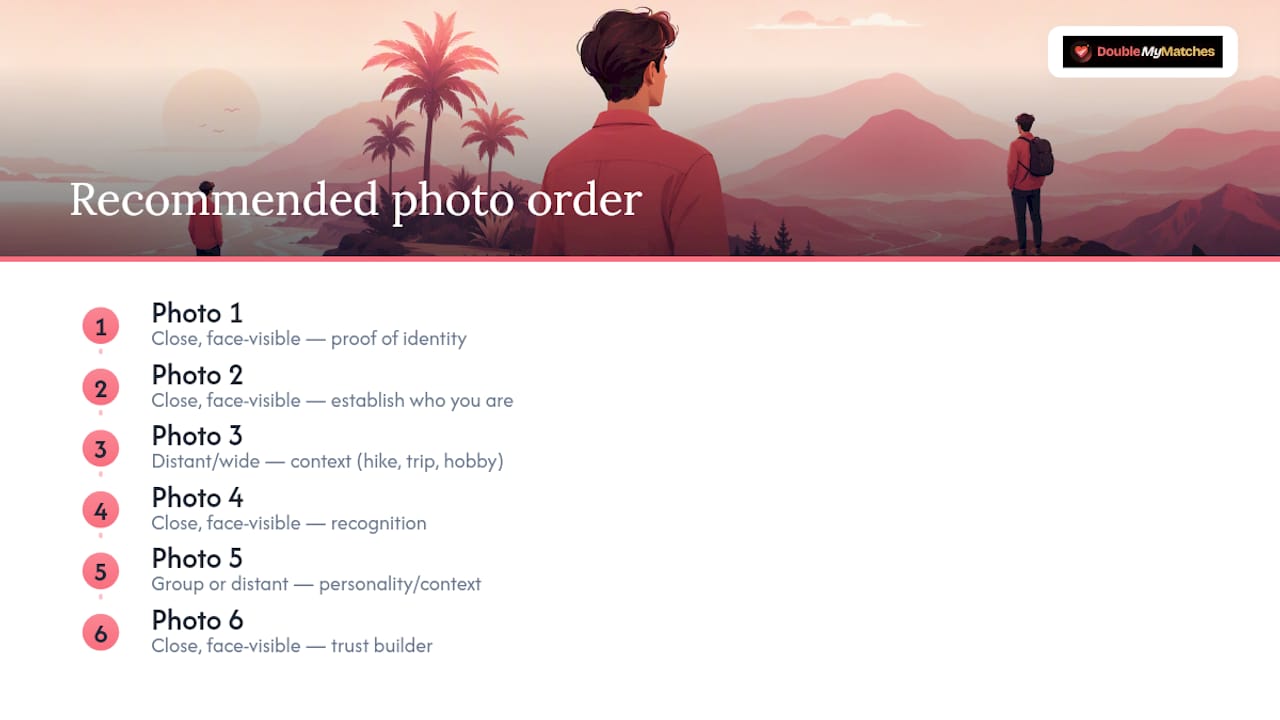
Think of it as evidence layering rather than a strict formula. Your close-up photos are the proof of identity; your distant photos are the proof of a life being lived. Neither one works well without the other; an all-close-up gallery can feel flat and low on personality, while an all-distant gallery leaves viewers unsure who they'd actually be meeting. The strongest profiles alternate deliberately: close, close, distant, close, group, close, so trust and personality build together instead of competing for the same slot.
Do dating apps' algorithms treat distant photos differently?
Dating apps don't manually review every photo, but their ranking systems respond indirectly to how well a photo performs, and distance affects that performance chain in a fairly predictable way. When your primary photo is distant and unclear, it tends to generate fewer likes and shorter view times, and those early engagement signals shape how often the app's own algorithm surfaces your profile to new potential matches.
Facial recognition also plays a role on the technical side. Several apps use basic image analysis during verification and moderation checks, comparing your listed photos against a live selfie to confirm you're a genuine, matching person. A photo where your face is too small or unclear to register properly can occasionally cause friction at verification stage, even when there's nothing dishonest going on.
There's a practical, human layer underneath the algorithmic one too. Apps optimise, broadly, for what keeps people swiping and matching, and that means they indirectly reward whatever photo mix tends to produce more successful matches. Since clear, close, face-forward primary photos consistently outperform distant ones in real engagement, the ranking systems built around that engagement data tend to favour profiles that lead with strong close-up images, whether or not that's an explicit rule anywhere in the app's design.
Using captions to make a distant photo work harder
A caption can't fix a photo where your face is genuinely too small or blurred to recognise, but it can add exactly the context a distant shot is missing, and that context often makes the difference between a swipe left and a swipe right.
Specificity beats vagueness every time. "Somewhere in the Alps" tells a viewer almost nothing useful. "Hiking the Tour du Mont Blanc, day three of six" gives them something to ask about, and questions are what turn a match into a conversation. A caption that names the place, the activity, or the story behind the moment does more work than the image alone ever could.
Captions can also do a small but useful job of directing attention. Something like "still can't believe this view existed" gently signals that the photo is meant to celebrate the scenery, not to be your best likeness, which sets expectations honestly rather than leaving a viewer to wonder why you look like a dot on a hillside.
Honesty matters here as much as it does with AI-generated images. Don't caption a photo in a way that implies a trip, achievement, or moment that didn't actually happen. A caption is a small trust signal, and small trust signals add up quickly across a profile. Use them to add real detail, a place name, a memory, a reason the moment mattered, rather than as decoration, and a distant photo becomes a genuine conversation starter instead of a gap in your lineup that a caption is trying to paper over.
Real-world perspective: what actually separates good lineups from weak ones
The gap between a profile that gets read as adventurous and one that gets read as evasive is almost never the destination in the photo. It's distance, light, and expression, three variables that have nothing to do with how interesting your life actually is and everything to do with how legible that life is at thumbnail size.
What surprises people most, working through hundreds of dating profiles, is how rarely the problem is a lack of good photos. Most people already have a strong close-up somewhere in their camera roll from the last year. The problem is sequencing: burying that photo behind three distant, ambiguous shots because the trip "felt like the highlight," when the viewer has no context for why it should matter to them yet.
Objective feedback fixes this faster than intuition ever will, because you cannot see your own gallery the way a stranger does after ten seconds of scrolling. That's the practical case for privacy-first AI scoring as a first pass: it gives you an unbiased read on which photo should lead, without asking a friend to sit through the mild awkwardness of ranking your dating photos to your face. Pair that quick read with a few weeks of real swipe data, and you've got a genuinely evidence-based lineup rather than one built on which photo you personally like best.
— The Team @ DoubleMyMatches
Get an objective read on your photo lineup before you post
If you're staring at a camera roll full of half-decent travel shots and one good headshot, wondering which order actually works, You can get a private, one-time AI read that tells you exactly where you stand.
The Full Report scores each of your photos on lighting, expression, and composition, then orders them best to worst so you're not guessing which shot deserves the primary slot. Every photo is analysed and then deleted, never published, never used to train anything, which matters if you're uneasy about uploading a personal photo to yet another platform. It's built specifically for people juggling a mix of close-ups, full-body shots, and the odd distant travel photo who want a straight answer on what's helping and what's quietly costing them matches.
If you've already made changes and want to check they worked, Retest & Lock In at $17 gives you a fresh comparison against your updated lineup. Head to the dating photo analyser to get started, or browse example lineups first if you want to see what a strong gallery actually looks like before you upload your own.
Sources
FAQ
What is the 333 rule in dating apps?
A common guideline suggests using multiple close-up photos, full-body or activity photos, and photos showing personality or hobbies, aiming for a varied gallery across those categories. It's a loose framework rather than a strict standard, and the more important principle underneath it is variety: mix close, medium, and wide shots rather than repeating the same distance or setting throughout your gallery.
How far away is too far for dating photos?
A distant photo becomes a problem once your face and expression can no longer be read clearly on a phone screen at a normal glance, typically once you occupy only a small fraction of the frame. Photographers recommend keeping yourself at a minimum recognisable scale in any photo you expect strangers to judge quickly, which usually means standing closer than instinct suggests when a landscape looks impressive.
What dating app has the "nearby" feature?
Most major dating apps, including Tinder, Bumble, and Hinge, use location and distance filters to show nearby profiles, and users can typically adjust the maximum distance in settings. This location feature is separate from photo distance; it controls who you see geographically, not how close or far the subject appears within a photo itself.
What does GGG mean in dating?
GGG stands for "good, giving, and game," a term describing an open, enthusiastic, and generous attitude towards a partner, most commonly used in the context of physical intimacy and compatibility. It has nothing to do with photo composition or profile setup, but it does come up frequently in dating app bios and conversations, which is why it shows up in searches alongside profile advice.
Should I remove all my travel photos if they're distant?
No, remove only the ones where your face is too small or unclear to recognise at a glance, not travel photos generally. A well-framed travel shot, where you're clearly visible with the scenery as backdrop, is a strong addition slot three through six; the fix is almost always cropping in or retaking closer, not cutting travel content from your profile entirely.
Can AI photo analysis actually tell me which photo to use first?
Yes, tools built for this, including DoubleMyMatches, score each photo on lighting, expression, and composition and then rank them best to worst so you can see which one belongs in the primary slot. It's a fast, objective second opinion that works well alongside real swipe testing rather than replacing it entirely.