

Make your public accounts private and stop uploading original photos to untrusted AI apps. That single move blocks most common exposures. The checklist below covers everything else: stripping metadata, checking app permissions, and using tools like Have I Been Trained to see if your images already sit in a dataset.
TL;DR:
- Making social accounts private significantly reduces the risk of your photos being scraped and used for AI training without your knowledge.
- Deleting photos from platforms does not erase their influence on trained models, which continue to retain learned information even after removal.
- Use metadata stripping and avoid uploading raw images to untrusted apps, especially when sharing personal photos on dating or social media platforms.
- opt for device-side masking tools and encrypted apps that explicitly state workload privacy policies to minimize exposure during editing or storage.
- Always verify an app's privacy and training policies before uploading images, as vague or absent policies increase the risk of your photos being used for training without consent.
Table of Contents
- What is AI photo privacy and how do systems find your images?
- Quick, immediate steps you can take right now
- Practical photo hygiene and safer sharing habits
- Device-side masking, private storage, and vetted apps
- Finding out if your photos are already in a dataset
- If your photo is misused: reporting and next steps
- How DoubleMyMatches approaches privacy and why it matters
- A short note from the team
- Get private AI feedback without the training risk
- Where to check your settings and dig deeper
- Sources
What is AI photo privacy and how do systems find your images?
AI photo privacy covers how your images get collected, processed, and sometimes stored by artificial intelligence systems, and what control you have over that process. Most people picture a hacker stealing photos. The reality is duller and more widespread: your pictures are usually handed over voluntarily, one upload at a time.
Public social posts are the biggest source. Any photo you post on an open profile can be scraped by researchers, companies, or automated bots building training datasets. Proton's research shows family photos get pulled into training pipelines this way constantly, often without the person in the photo ever finding out.
The second route is more direct: you upload photos yourself. Filter apps, background removers, and "make me a cartoon" tools all need your image to work, and many either train future models on what you send or leave their data policies vague enough to cover it. Reporting from The Verge found a sizeable share of consumer AI photo apps either use uploads for training or don't clearly say they won't.
Here's the part most people miss:
- Deleting a photo later doesn't undo the training. Once a model has learned from an image, removing the source file doesn't erase what the model absorbed.
- Platform processing for "smart" features (auto tagging, face grouping, style suggestions) often counts as training exposure, even if you never explicitly agreed to it.
Quick, immediate steps you can take right now
You don't need a technical background to close most of the obvious gaps. Start here, in this order:
- Make public accounts private. After Meta's Muse Image feature let people generate images referencing public Instagram profiles, The Guardian reported that switching to a private account was the single most complete defence available to ordinary users.
- Switch off "allow reuse" or similar sharing permissions wherever your platform offers them, particularly on photo storage and social apps.
- Audit your camera roll permissions. Open your phone's settings and check which apps have full photo library access. Revoke it for anything you don't actively use for editing.
- Turn on multi-factor authentication. Security researchers at Malwarebytes recommended this alongside private accounts as a practical, immediate step after the Muse Image rollout.
- Strip metadata before sharing originals. Send screenshots or re-saved copies rather than raw camera files, especially on dating apps.
- Stop uploading to AI apps you don't recognise. If an app's privacy policy is vague about training, assume the worst and skip it.
Pro Tip: Before uploading any photo to a new app, search "[app name] privacy policy training data" for thirty seconds. If you can't find a clear answer, that's your answer.
Practical photo hygiene and safer sharing habits
Every photo you take carries invisible baggage. EXIF metadata can include your exact GPS coordinates, the device model, and the precise time the photo was taken. Sending the original file, rather than a screenshot, often hands that data straight to whoever receives it.
Stripping it is easy. Screenshotting a photo before sending usually removes EXIF data automatically, since screenshots create a new file. Most phones also let you disable location tagging for the camera entirely in the privacy settings.
A few habits go a long way beyond metadata:
- Choose neutral backgrounds when taking photos for dating apps or public posts; avoid house numbers, street signs, or work ID badges in frame.
- Use your dating app's built-in photo picker rather than attaching original files in chat. Guidance from ExifVoid notes that direct file attachments often carry GPS and device data the app's own upload tool would strip.
- Treat any photo sent outside a platform's official chat (email, third-party messaging) as permanently out of your control.
Device-side masking, private storage, and vetted apps
For anyone who needs to edit photos through cloud-based AI tools regularly, a newer category of protection is worth knowing about: device-side masking. Researchers at Purdue University built a system that masks sensitive facial regions locally, on your device, before the image ever reaches the cloud for editing. Once the edit is done, the masked regions are reintegrated using geometric alignment, so the final image still looks natural.
The results are striking: in validation testing, the masking reduced AI attribute-classification accuracy by a large margin, meaning models struggled far more to identify age, identity, or other biometric traits from the processed image.
When picking storage or editing tools generally, look for:
- Full end-to-end encryption, not just "encryption in transit"
- Open-source or independently audited privacy claims, rather than marketing copy alone
- Explicit statements that uploads are never used for model training
Masking and encryption reduce risk, they don't eliminate it. Always check an app's terms and conditions for training language before you trust it with your face.
Finding out if your photos are already in a dataset
If you suspect an image of you has already been scraped, you have a few realistic options:
- Run a reverse image search (Google Images or TinEye) to see where a photo appears online that you didn't post yourself.
- Check dataset-search tools like Have I Been Trained, which lets you search whether specific images appear in known public training sets.
- File a removal request with the dataset owner if your image turns up. These requests can succeed, but Proton notes that a model already trained on the image may still retain learned patterns even after the source is deleted.
- Download your platform data (most major platforms offer this under data-rights settings) to see exactly what's been stored, and file a complaint with your data protection regulator if a company won't act on a legitimate request.
If your photo is misused: reporting and next steps
Act quickly if you find a deepfake, scam profile, or unauthorised use of your image. Screenshot everything, including URLs, usernames, timestamps, and any surrounding messages, before the content can be edited or deleted.
Report through the platform's abuse or impersonation form first. Most major platforms, including Instagram and dating apps, have dedicated takedown pathways for non-consensual imagery.
If the misuse involves threats, blackmail, or extortion, contact the police. This moves beyond a platform policy issue into a criminal one. For persistent cases, a specialist privacy-removal service or a solicitor experienced in image rights can pursue takedowns you can't manage alone.
How DoubleMyMatches approaches privacy and why it matters
DoubleMyMatches analyses your dating photos once, scores them, and then discards them. Nothing is published, and nothing is used to train the AI, ever.
That's a useful benchmark when you're evaluating any AI photo service. Before uploading your face anywhere, ask three questions: How long do you retain my photos? Are my images used to train your models? Do you have rights to publish or share what I upload? If a company can't answer clearly, treat that as a warning sign, not a technicality.
A short note from the team
Dating photos are among the most personal images people share online, often uploaded to services you've never fully vetted. We built DoubleMyMatches around a simple rule: analyse once, then delete. If you want AI feedback on your photos, favour tools with that same one-time, no-training promise. We'll show you exactly what that looks like below.
— The Team @ DoubleMyMatches
Get private AI feedback without the training risk
DoubleMyMatches gives you the benefit of AI photo analysis without handing your face over to a training pipeline. Your photos get scored, ranked, and reviewed once, then discarded permanently.
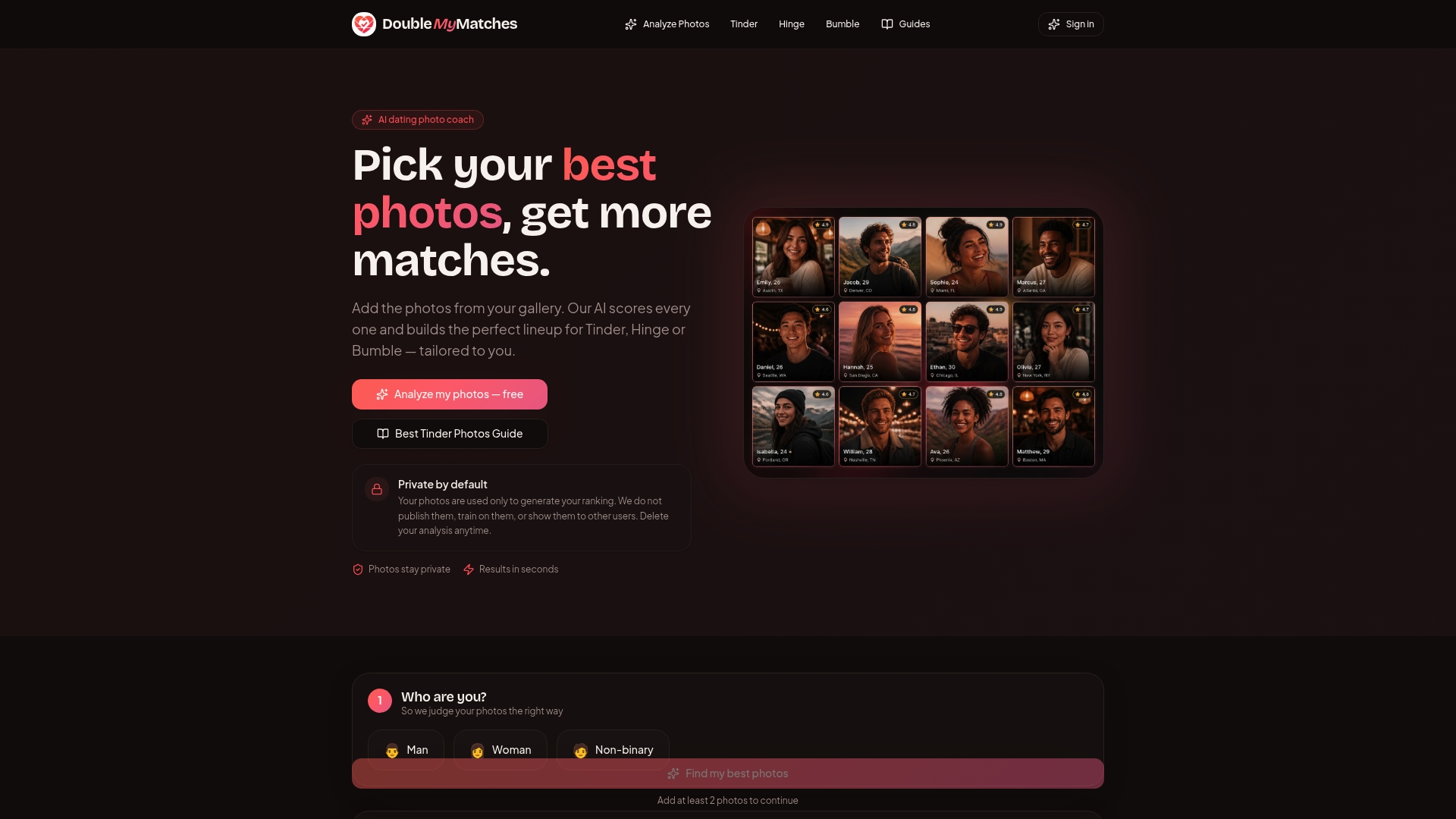
Upload your current photos and DoubleMyMatches ranks them from strongest to weakest, flags anything working against you, and tells you exactly which shot should lead your profile on Tinder, Hinge, or Bumble. Curious how it stacks up against manual feedback tools? Our comparison against Photofeeler breaks down the differences. But if you're ready to see your results, head straight to the Dating Photo Analyzer and get your first photo scored free, with the privacy guarantee built in from the start.
Where to check your settings and dig deeper
For platform-specific controls, visit Instagram's privacy settings and Google Photos' face-grouping options directly within each app. To check whether your images appear in known training sets, use Have I Been Trained. For background on dating app data risks, Mozilla Foundation's guide is worth reading, alongside The Guardian's reporting on Instagram's AI image tools and how DoubleMyMatches analyses dating profile photos.
This article is general information, not a substitute for advice from a qualified lawyer. Consult a qualified legal professional about your own circumstances before acting on anything here.