
Your photos, profile copy, and filters are three fastest levers to pull when you're getting zero matches on Bumble. Swap your first photo for a clear solo shot, fill every profile field, and widen your distance and age filters. Most people see results within a few days of making those changes.
Here's what to do right now:
- Swap your first photo to a well-lit, solo head-and-shoulders shot with a natural smile
- Add six photos across all available slots (Bumble's own checklist confirms this improves match chances)
- Widen your filters — increase distance and age range, and temporarily remove Advanced Filters
- Complete your profile — bio, three prompts, badges, Spotify, job, and education
- Verify your profile using Bumble's photo verification feature
- Troubleshoot if nothing changes after 72 hours: update the app, check for outages, or look into whether a shadowban is the culprit
If you've done all of the above and you're still stuck, an objective photo review is the clearest next step. More on that later.
Key takeaways
Your photos, filters, and profile completeness are the three fastest fixes for bumble no matches, and most users see improvement within 72 hours of addressing all three.
| Point | Details |
|---|---|
| First photo is the priority | Swap to a clear, solo, well-lit head-and-shoulders shot with a natural smile. |
| Fill every profile field | Six photos, short bio, three prompts, badges, and verification all improve visibility per Bumble's checklist. |
| Widen filters immediately | Expand distance and age range, and remove Advanced Filters to stop limiting your pool. |
| Fix profile before buying features | Spotlight and Boost only help once your photos and bio are as strong as possible. |
| Use DoubleMyMatches for objective feedback | AI scoring ranks your photos best to worst and identifies which images to cut, with no data retained after analysis. |
Table of Contents
- Why are you getting no matches on Bumble right now?
- How to choose the six photos that actually lead to matches
- What to write: bios, prompts, and badges that prompt messages
- Settings and swipe behaviour that expand your pool and increase visibility
- When Spotlight, Boost, or Premium actually help and when they don't
- If none of the fixes work: check for bugs, outages, or a shadowban
- When to get outside feedback and which objective-review services help
- How long do changes usually take to show results?
- What the team at DoubleMyMatches would do with a zero-match account
- Your photos scored and ranked in minutes with DoubleMyMatches
- Sources
Why are you getting no matches on Bumble right now?
The most common cause of bumble no matches isn't bad luck. It's one of four fixable problems: poor photos, an incomplete profile, filters that are too tight, or an app bug. Research in communication studies confirms that image cues and concise profile signals are the primary factors shaping match likelihood on swipe-based apps. That means your photos are doing most of the work before anyone reads a single word you've written.
The good news: most of these issues take under an hour to fix.
What to change right now (30–60 minutes)
Start with your first photo. It's the only thing most people see before they decide to swipe. A clear, solo, head-and-shoulders shot with good lighting and a genuine smile outperforms every other format. No sunglasses, no group shots, no heavily filtered selfies.
Next, fill every field Bumble gives you. Bumble's help centre lists a specific checklist: six high-quality photos, a verified profile, a short bio, three profile prompts, Spotify link, and basic info badges. Leaving any of these blank reduces your visibility in the app.

Then check your filters. If your distance is set to under 10 miles or your age range is narrow, you may simply be running out of people to show to. Widen both temporarily.
Finally, verify your profile. Bumble's photo verification adds a trust badge that makes your profile more credible to other users.
Pro Tip: Use the app during peak hours. Bumble's own guidance notes that users aged 18–22 see most activity between 7–10pm, while those aged 23 and over tend to be most active between 6–9pm. Logging in during those windows means your profile appears to more people who are actively swiping.
How to choose the six photos that actually lead to matches
Your photo set is your first impression, your personality, and your conversation starter all at once. Getting it right matters more than any other single change you can make.
What your first photo needs to do
The first photo has one job: make someone want to see more. Psychology research shows that facial expression, perceived approachability, and image composition all shape first-impression liking. A natural smile with direct eye contact in good lighting consistently outperforms posed, distant, or obscured shots. Crop it to head and shoulders. Make it easy to see your face.
How to use the remaining five slots
Each photo should add something new. Think of the set as a short story about who you are:
- Slot 2: A full-body shot in a natural setting, showing your build and style
- Slot 3: An activity or hobby photo — something you're genuinely doing, not posing for
- Slot 4: A social or professional context shot — with friends, at an event, or in a work setting that reflects your life
- Slot 5: A candid or travel photo that shows personality and spontaneity
- Slot 6: A close-up or second face shot with a different expression or setting
Avoid using more than one selfie across the whole set. Avoid group photos in the first three slots. And never use a photo where your face is partially hidden by sunglasses, a hat, or low lighting.
Common photo mistakes that kill your match rate
| Mistake | Why it hurts | Quick fix |
|---|---|---|
| Group photo as first image | Viewers can't identify you instantly | Replace with a solo shot |
| Sunglasses in every photo | Hides your face and expression | Keep at most one sunglasses shot |
| Low lighting or blurry images | Signals low effort | Reshoot in natural daylight |
| Too many selfies | Feels one-dimensional | Add activity and social shots |
| No smiling photos | Reduces perceived approachability | Include at least two smiling shots |
Pro Tip: Bumble's Best Photo feature can automatically test which of your images performs best. Enable it in your settings and let the app rotate your photos to find the strongest opener. You can also use photo swipe-rate data to understand which attributes drive right-swipes before you even upload.
If you're unsure whether your photos are working, that uncertainty is itself a signal. Objective feedback from outside your social circle is often the fastest way to identify what's holding you back.
What to write: bios, prompts, and badges that prompt messages
A short, specific bio outperforms a long one almost every time. Bumble's guidance is clear: punchy and conversational beats comprehensive and formal. You have a few lines to give someone a reason to swipe right and a question to ask you.
Three bio templates you can adapt
- Dating intent: "Graphic designer by day, terrible cook by night. Looking for someone to eat my experiments and pretend they're good. Based in Manchester."
- Casual/social: "New to London, still finding my favourite coffee shop. Keen on live music, long walks, and anyone who can recommend a good book."
- Friendship mode: "Just moved back to Leeds. Looking for people to explore the city with — gigs, markets, the occasional terrible film."
Each of these does three things: states something specific about you, signals what you're after, and leaves an obvious conversation hook. That last part matters because on Bumble, the other person messages first. Making it easy for them to open a conversation directly increases your chances of getting one.
How to use profile prompts
Prompts are not filler. They're conversation starters. Choose three that invite a response rather than just describe you:
- "The most spontaneous thing I've done…" (invites a story)
- "I'll know it's a good match if…" (signals intent clearly)
- "Ask me about…" (direct invitation)
Avoid prompts that end in a full stop with no hook. "I love hiking" gives someone nothing to work with. "I love hiking — currently planning a route through the Peak District, open to suggestions" gives them three things to respond to.
Which badges and extras actually matter
Fill in your job, education, and star sign at minimum. These aren't just decoration. They appear in search filters and give other users more reasons to engage. Linking Spotify shows personality in a way words can't. Bumble's own optimisation checklist includes all of these as match-rate improvements, and they take under five minutes to add.
Settings and swipe behaviour that expand your pool and increase visibility
Your settings determine how many people can even see you. If they're too restrictive, you're invisible to most of the app's local user base.
Filter settings to check first
Bumble's own guidance flags overly tight filters as a primary reason users run out of people to swipe on. Start here:
- Set distance to at least 30 miles, or higher if you're in a rural area
- Widen your age range by at least five years in each direction
- Turn off Advanced Filters temporarily — height, education level, and relationship goals all shrink your pool significantly
Once your match rate improves, you can gradually reintroduce filters one at a time.
How the Bumble algorithm responds to your behaviour
Bumble rewards consistent, selective activity. Swiping through 200 profiles in ten minutes signals low-quality engagement and can reduce how often your profile is shown. Swiping steadily over several sessions, replying promptly to matches, and keeping your messages above one word all contribute to better algorithmic visibility. Understanding what affects the dating app algorithm helps you work with it rather than against it.
Timing matters more than most people realise. Bumble's regional guidance notes that users aged 18–22 are most active between 7–10pm, and those aged 23 and over between 6–9pm. Logging in during those windows means your profile competes for attention when the most people are actively swiping.
Location and Travel Mode
If you've recently moved or your location settings haven't updated, your profile may be showing to the wrong area. Check that Bumble has permission to access your location. Travel Mode (a paid feature) lets you set your location to a different city, which is useful if you're planning to relocate or visit somewhere and want to build matches in advance.
When Spotlight, Boost, or Premium actually help and when they don't
Paid features on Bumble are visibility tools, not profile-quality tools. That distinction matters. If your photos and bio aren't working, spending money on Spotlight won't fix the underlying problem. It'll just show a weak profile to more people.
Here's what each feature does:
- Spotlight: Places your profile at the top of the queue for 30 minutes. Useful for a short burst of visibility during peak hours.
- Boost: Increases your profile's visibility for a set period. Similar to Spotlight but typically runs longer.
- SuperSwipe: Notifies someone that you've swiped right on them. Can increase the chance they look at your profile, but only works if the profile itself is strong.
- Bumble Premium: Unlocks advanced filters, Beeline (see who's already liked you), and unlimited swipes. Most useful once your profile is optimised and you want to work through a larger pool efficiently.
The clearest rule: fix your photos and bio first, then test one paid feature at a time. Buy a single Spotlight session during a peak evening hour, note how many matches you get compared to your baseline, and decide from there. Spending on Premium before your profile is ready is the most common waste of money on the app.
If none of the fixes work: check for bugs, outages, or a shadowban
Sometimes the problem isn't your profile. It's the app itself.
Troubleshooting checklist
Work through these steps in order before contacting support:
- Update the app to the latest version in the App Store or Google Play
- Reinstall Bumble if updating doesn't resolve the issue
- Check your internet connection and switch between Wi-Fi and mobile data
- Disable any VPN or ad blocker running on your device
- Toggle Aeroplane Mode on and off to reset your connection
- Check app permissions — Bumble needs location and notification access to function correctly
Bumble's support page lists known bugs and recommends these exact steps. If you're seeing error codes, Bumble's error code guide explains what each one means and how to escalate.
How to check for outages
Before assuming your account has a problem, check whether Bumble is down for everyone. Downdetector tracks user-reported outages in near real time. If there's a spike in reports, wait a few hours before making any changes to your profile or settings.
Signs of a shadowban and what to do
A shadowban is when your profile is still technically active but shown to far fewer people, often with no notification. Detection signs include a sudden, unexplained drop in profile views or likes after a period of normal activity. If your match rate went from reasonable to zero overnight without any profile changes, that's worth investigating.
What to try:
- Pause all swiping activity for 24–48 hours
- Avoid mass-swiping or any behaviour that looks automated
- Contact Bumble support directly via the in-app Help section, including your account email, device type, and a description of when the drop occurred
Pro Tip: When contacting support, be specific. Note the exact date your matches dropped, your device model, app version, and any recent changes you made to your profile. Vague reports get slower responses.
When to get outside feedback and which objective-review services help
If you've worked through every fix above and you're still seeing bumble zero matches, the most likely remaining issue is your photos. The problem with self-assessing photos is that you're too close to them. You know the context behind every image, which makes it almost impossible to see what a stranger sees in two seconds.
Why objective review works
Outside feedback removes that blind spot. Communication research confirms that image cues are the dominant signal in swipe decisions. Knowing which of your photos scores highest for lighting, expression, and composition, and which ones are actively hurting you, gives you something concrete to act on.
What AI photo analysis and crowd-based tools offer
Two main approaches exist:
- AI photo analysis (such as DoubleMyMatches): scores your photos instantly for lighting, expression, composition, and app-specific appeal. Ranks them best to worst, identifies weak or harmful images, and gives per-photo feedback. Results in minutes.
- Crowd-based testers (such as Photofeeler): shows your photos to real people who rate them on specific attributes. Slower, but gives human-perception data. Useful as a complement to AI scoring.
If you want to understand the difference between these approaches before deciding, this comparison covers both in detail.
Privacy considerations
DoubleMyMatches analyses your photos once and discards them. They're not stored, published, or used to train the AI. That one-time analysis model means you get objective feedback without your images being retained anywhere.
When to use each option
- Self-test first if you haven't yet tried swapping photos or reordering your set
- Use a free single-photo tool if you want a quick signal on one specific image
- Pay for a full report if you've already made profile changes and your match rate hasn't improved after 72 hours of regular use
How long do changes usually take to show results?
Most profile changes don't take long to register. Swapping your first photo and widening your filters can restore matches within a few hours, particularly if you make the changes during a peak activity window.
Profile copy updates and photo-set reorders typically show their effect within 24–72 hours of consistent app use. That window assumes you're swiping regularly and the app is functioning normally.
Wait longer if your changes coincide with a local low-pool period (bank holidays, summer weekends when people are away) or a known app outage. In those cases, the absence of matches may have nothing to do with your profile.
If you want to test a specific change cleanly, change one variable at a time. Swap the first photo, use the app normally for 48 hours, and note the difference before touching anything else. Adding a paid visibility feature like Spotlight during that window can accelerate the test by showing your updated profile to more people in a short period.
What the team at DoubleMyMatches would do with a zero-match account
The most common mistake people make when they're getting no matches is changing everything at once. You end up not knowing what worked.
If we were handed a zero-match Bumble account today, here's the exact sequence we'd follow.
Hour one: Swap the first photo for the clearest, best-lit solo shot available. Widen distance to at least 30 miles, expand the age range, and remove Advanced Filters entirely. Verify the profile if it isn't already. These three changes cost nothing and take under an hour. They're also the changes most likely to produce an immediate result.
Hours 24–72: Monitor match rate without changing anything else. Use the app during peak evening hours. Swipe selectively rather than exhaustively. If matches start appearing, the problem was the photo or the filters. If nothing changes, move to the bio and prompts.
After 72 hours with no improvement: This is when we'd run an objective photo review. Not because the photos are definitely the problem, but because at this point you've ruled out filters and profile completeness. The photos are the most likely remaining variable, and self-assessment at this stage is unreliable. A scored, ranked report tells you exactly which image to lead with and which ones to cut.
We'd test one paid feature only after the profile is as strong as it can be. A Spotlight session during a Thursday or Friday evening gives a clean data point: if your match rate spikes, visibility was the gap. If it doesn't, the profile still needs work.
Your photos scored and ranked in minutes with DoubleMyMatches
The fastest way to know whether your photos are the problem is to get them scored by something that isn't you or your friends.
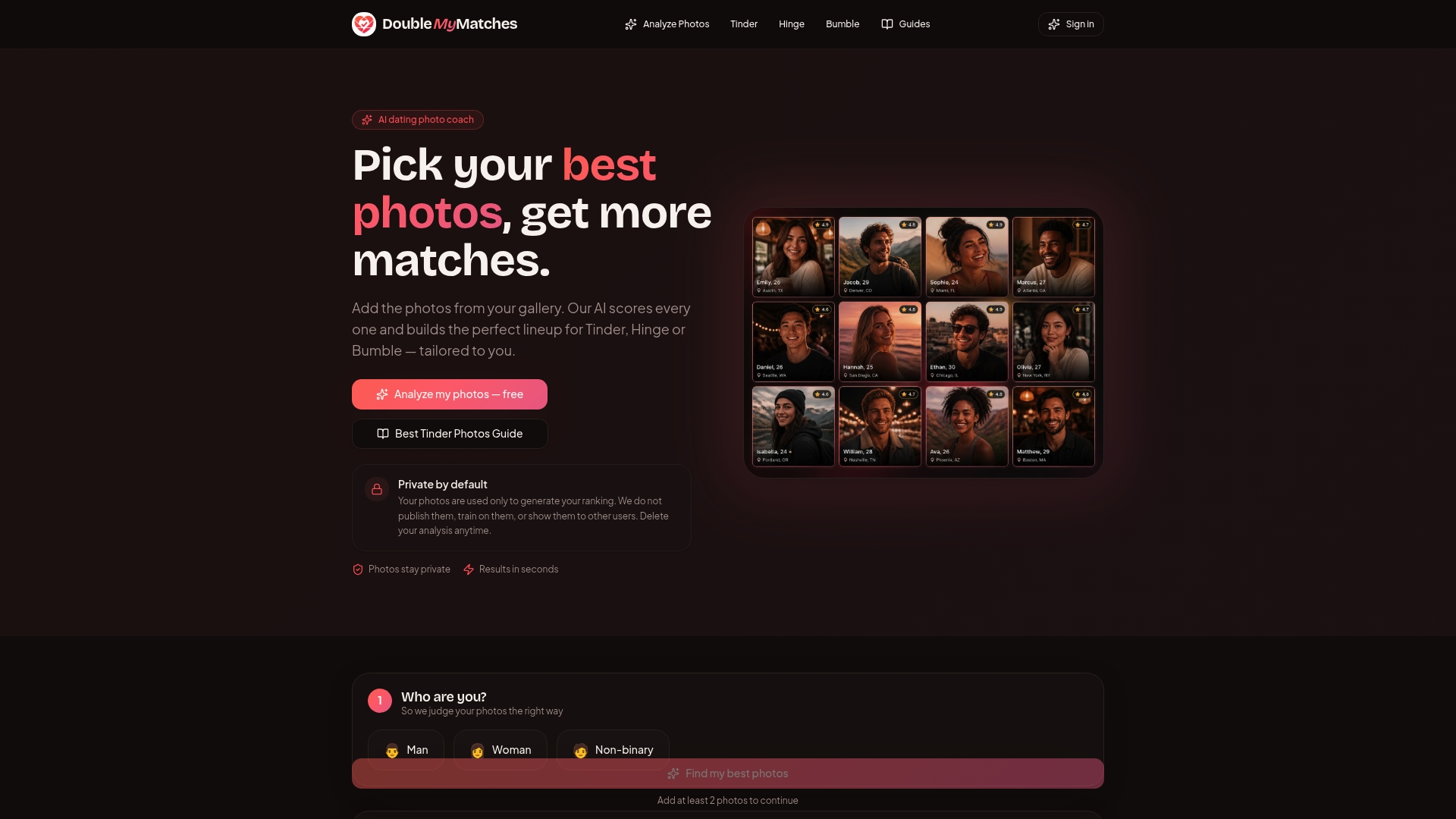
DoubleMyMatches uses AI to analyse your Bumble photos for lighting, expression, composition, and overall app-specific appeal. It ranks your full set from strongest to weakest, flags any images that are actively reducing your match rate, and gives you per-photo feedback you can act on immediately. The whole process takes minutes, not days.
Your photos are analysed once and then discarded. Nothing is stored, published, or used to train the model. You get the feedback, and that's it.
If you've already worked through the profile and filter fixes and you're still not seeing matches, run your photos through the AI analyser and find out exactly what's holding you back.
Sources
These are the official and independent resources referenced throughout this guide:
- Bumble - Haven’t Made Any Matches on Bumble Yet? Here’s What to Do
- Troubleshooting tips and current bugs – Bumble Support
- Frontiersin
- Bumble down? Current problems and outages - US